DIY High-Speed Book Scanner from Trash and Cheap Cameras!

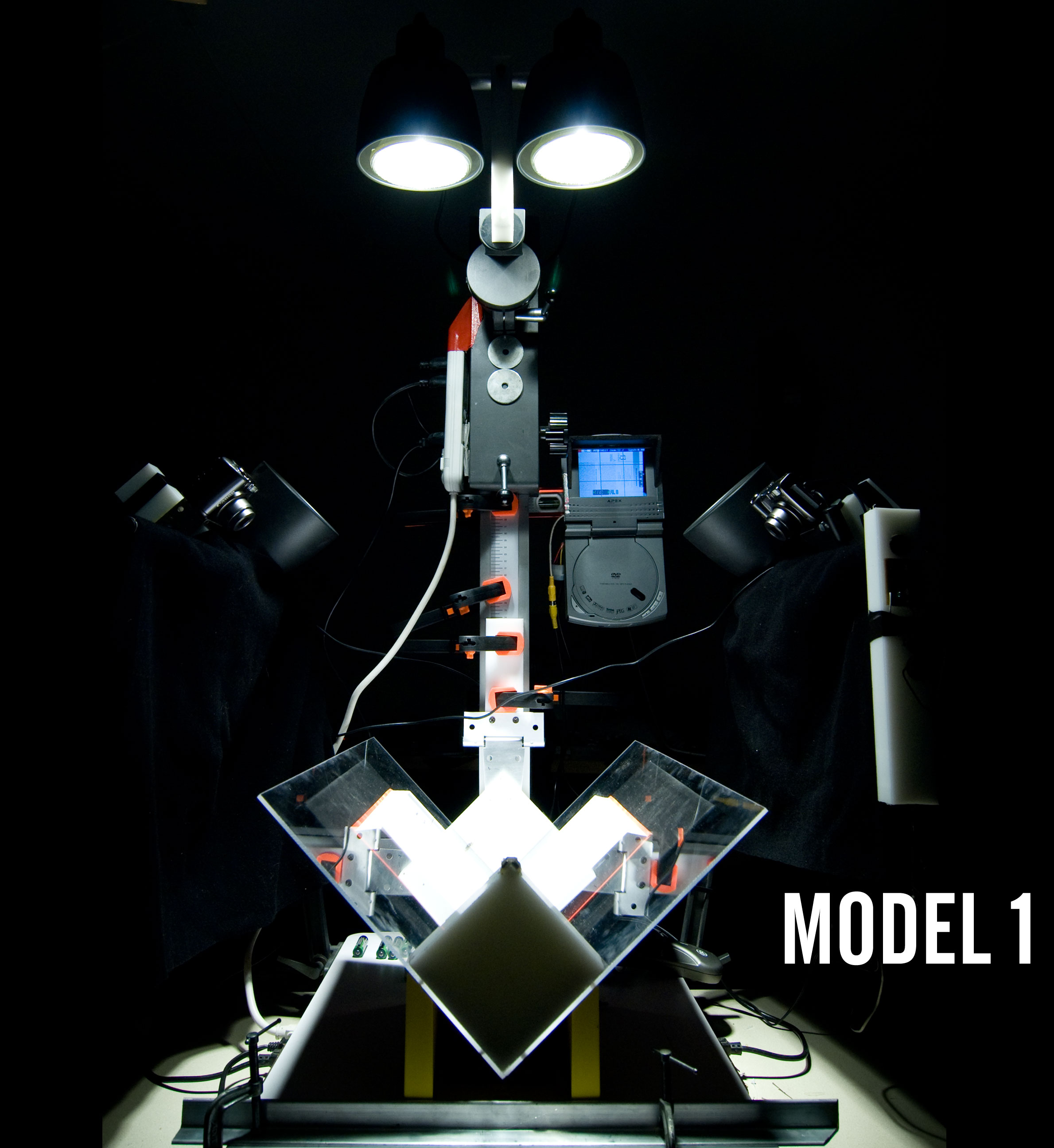
I am pleased to announce the release of a major project — complete plans for a high-speed book scanner made from off-the-shelf cameras and salvage. With the help of Aaron Clarke, there is now software to complete the process, too.

The complete plans and software are on Instructables. Please vote for this project!
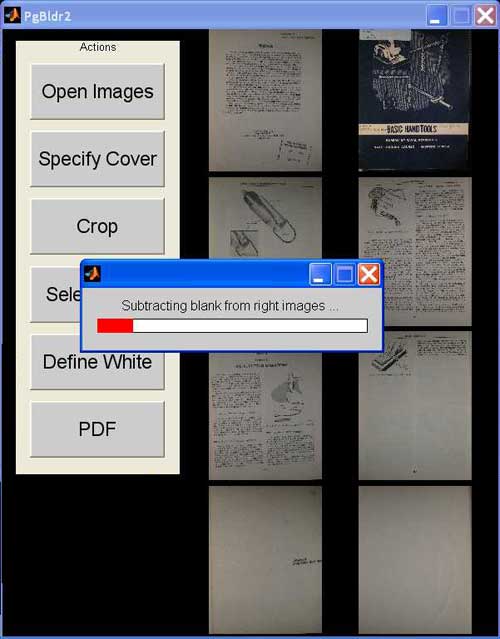
PageBuilder:
Big thanks to Aaron Clarke, Noah Bicknell, L, and everyone else who contributed. Couldn’t have done it without you.

11 Comments so far

  1. SuperSDN April 21st, 2009 13:14

    It looks like the book killer pulls his evil hands to the latest book of the world!
    ;)

  2. Женя April 21st, 2009 17:19

    This would’ve been very useful in the USSR to disseminate all the banned books in the underground literary circles. I think back in the day they used to photograph the books page by page or copy them out by hand. Imagine having your little scanner tucked away in a dark podval in Moscow.. (minus the digital camera of course)..

  3. danreetz April 21st, 2009 20:06

    While in Russia I saw the archive of negatives of a friend of mine, and a huge box, hundreds of negatives were nothing but sheet music and books. Took me quite a while to understand the significance of that.

  4. Женя April 22nd, 2009 15:24

    You’ve seen more than I have, I’ve only heard about this from my music teacher.

  5. Poodus April 23rd, 2009 06:43

    Quality work bro. Really impressive all around. At first I was a little overwhelmed by seeing ~70 steps, but the presentation kept me interested all the way through.

    And that software looks especially slick [nods to Aaron].

    To the dumpsters!

  6. danreetz April 23rd, 2009 18:22

    Thanks, bro!

    I am going to attempt a simplified version this summer.

    I’m proud to say the project got a mention on archive.org — my heroes.

    http://www.archive.org/about/faqs.php#Texts_and_Books

  7. Branko Collin April 28th, 2009 10:26

    Fantastic project! I’ve been trying to build something like this for years, but I just lack the skills. Especially getting the lighting right.

    For instance, how did you get the scan from the demo book so evenly lit? The page images in the screen shot above clearly have light and dark zones. Do you perform some kind of regional lightening/darkening in the software stage?

    What’s the wattage of the lamps you use?

    I use a glass platen (I use a single camera set-up, so don’t need a glued together wedge), which was very cheap to get: just buy a 1-dollar picture frame, and you don’t just get a sheet of glass, but also a piece of cardboard that helps to prevent breakage when you are not using it.

    I can imagine that plexiglas is safer because of the way it breaks. What are its reflexive properties though? I also understand that plexiglas lets slightly more light through than glass.

  8. danreetz April 29th, 2009 12:42

    Hey Branko,

    Thanks.

    The lighting is actually really simple. First of all, you have to get the luminance way up. Hence, halogen bulbs. They do a decent job of diffusing across the page.

    But you’re right, the output pages have serious non-uniformities. So join me in math land for minute. What we want to do is remove the non-uniformities due to light, not to text. So we simply take a picture of a blank page in the book (one for each side), invert it, and add it to the original. Inverting and adding it is the equivalent of subtracting the effects of luminance. You can do this in Photoshop using the “linear dodge (add)” layer mode. That is all the processing we currently do, though we (Aaron and I) have some ideas for smart thresholding that will really reduce noise in the output.

    I think they’re 75 watt bulbs? Don’t have them in front of me. Any high-output halogens will do, as long as they have that bubbly lens surface. The key here is very high output.

    Acrylic does have a slightly lower refractive index than glass (1.49 vs 1.5 and up) but I don’t think this is significant. The big problem with acrylic is that it is hard to clean without scratching. I chose it primarily because it is so easy to fabricate with. I’m now working with another Instructables method on some different platen designs involving glass.

  9. amber May 13th, 2009 21:20

    We heart you and your menacing looking (MODEL1} bookscanner via the internets. Just checkin’ up on our favorite projector. Never disappointed.

  10. paul August 7th, 2009 08:05

    Is this a “matlab” program?

  11. judith feist August 23rd, 2009 23:58

    as usual-brilliant!

Leave a reply