Just Before The Dawn.

More travel, less distance.

More action, less acting.

More gifts, fewer demands.

Quitting awful, early.

Moving on.

Away from ulterior motives.

Away from the lovesick, the neurotic, the conditional

From attachments, abusers, and contracts.

Toward risk

Of my own choosing.

Toward reward

Of my own making.

Posted in Oversight | 3 Comments

Update from Ace Monster Toys.

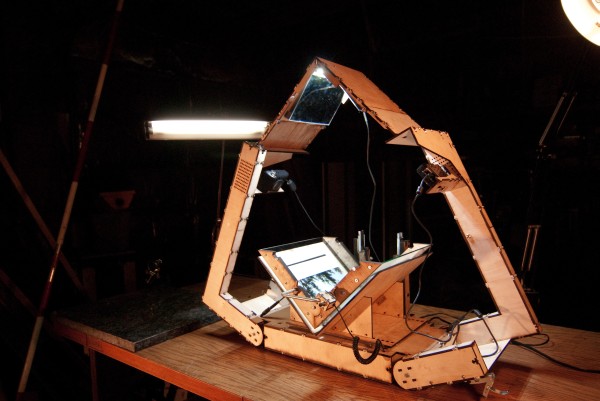
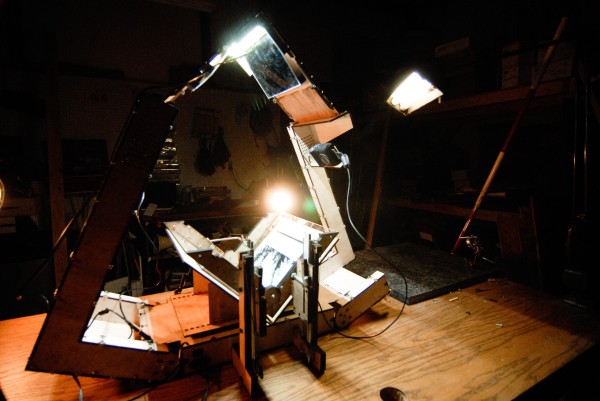
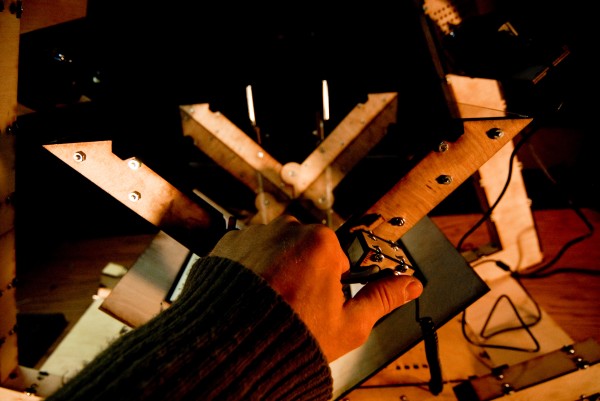
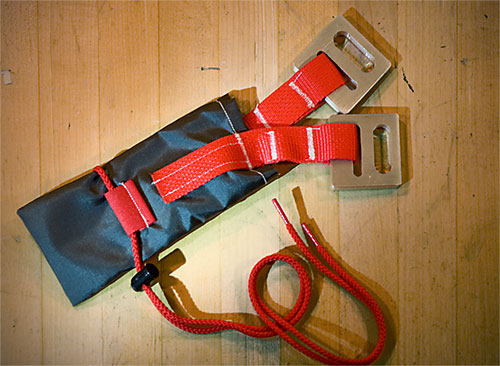
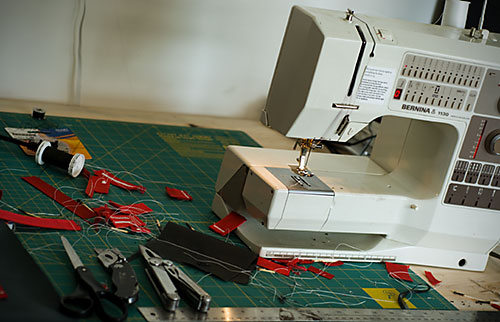
Sorry for the radio silence, I’ve been swamped. Al Jigen Billings has an awesome post talking about my latest work:

Photo by Al Jigen Billings/Ace Monster Toys

Posted in Oversight | 1 Comment

How To Start A Truck With A Can Opener

Or, “The utter uselessness of car alarms”.

Sequence of events:
1. Key fob for my car alarm dies, I am about 1 mile from home, in Richmond, CA, in the Iron Triangle.
2. I walk to RadioShack (also 1-2 miles away) and buy battery replacement.
3. Replacement battery does not work. Can’t open door without setting off alarm.
4. I walk home and make 12V battery pack. Fob works, door opens, once. Stops working. Can’t start truck.
5. Determine key fob is borked. No spare, because my keys were stolen a week ago. RICHMOND!!!
6. Open door and set off car alarm.
7. Get angry. Convert anger to cool ruthlessness. Open hood and disconnect battery with Leatherman. Cut wires to obnoxious speaker.
8. Disassemble dash with Leatherman.
9. Cut wire ties supporting car alarm. Remove wires from car alarm.
10. Reconnect battery.
11. Pull off white and red/white striped wires (labeled “starter”&”starter motor”).
12. Connect wires with can opener.
13. Depress clutch (clutch has starter switch)
14. Truck starts.
15. Buy small “adapter” that connects two wires. Connect wires.
16. VICTORY!!!!!!!!!!!!!!!!!!!!!! Thanks, little can opener:

These can openers have quite a history of being used in interesting ways. My Dad gave me one when I was just a little kid – explained its usage and let me put it on my keychain (which mostly contained useless old keys). Over the next 20 years or so I found it useful all over the place. I’ve used it to remove screws, open cans, cut tape, start fires, and now, to hotwire my truck. Thanks, Dad! Too bad the one you gave me was stolen with all my other keys AND my spare fob. But lucky that I’d purchased a dozen more for gifts.

A few lessons here.
1. Car alarms are useless. Now that I’ve done this, I could disable most aftermarket car alarms and start many cars in a matter of minutes.
2. Having only one key fob is the same as having no key fob.
3. Having a multitool in your pocket at all times is not paranoia, it is good policy.
4. The P38 can opener is a profoundly useful thing.

EDIT: While driving to buy some bolt cutters, I realized that the connection I made with the can opener is the correct place to put a kill switch in for the starter. I might also put in a fuel pump kill switch somewhere.

Posted in HardwareHacking, Oversight | 13 Comments

.

Goodbye, Los Angeles.

Posted in Oversight | 2 Comments

POSTING NOTICE

It’s often tough to get in touch with me. For the coming weeks and months, it is going to be tougher, starting now. I’m going to be traveling constantly.

Please, if something is an emergency, or needs my input now, say so in the subject line. Otherwise, have patience, glacial, unerring patience.

It may sound dire but it is a good thing. Today, I’m off on a project to photograph the last Shuttle launch. See you in the future.

Hmm, interesting things going on here at KSC! Brush fire:

Posted in Oversight | 2 Comments

Daniel Reetz on CNNI

First Kathrine:

Then Daniel:

Article here:

http://newsstream.blogs.cnn.com/2011/04/14/saving-a-stranger-from-slavery/

I talked about what happened with Kseniya and Svetlana.

Thanks to Cory Charles for the opportunity.

Posted in Oversight | 22 Comments

Boltcutters Don’t Come In Pink, Part II

Bethany is my niece. She’s been around for 643 days. About time that somebody got her some boltcutters.

You know, like everyone else got.

Posted in Oversight | 3 Comments

Don’t Just Sit There, Do Something!

Almost a year ago, I helped some friends of mine out of a very bad situation. Today, Abigail Pesta’s article tells the story better than it has ever been told.

Two pictures I haven’t shared yet:

The car from which I conducted operations, parked in a campsite in Wyoming.

Someday soon I’ll write up my own thoughts on the story, but for now, all I can say is that I’m very pleased with what Abby wrote and grateful for all the help.

Posted in Oversight | Leave a comment

Book Scan Wizard Gives DIY Book Scanners An Upload Button

Steve Devore’s Book Scan Wizard is the most automated, complete DIY Book Scanning software ever written. If you’re doing any kind of bulk or batch scanning, you owe it to yourself to check it out.

And now, through a new partnership with the Internet Archive, Book Scan Wizard and DIYBookScanner offer an upload button – every DIY Book Scanner can share his or her work with the world, or get an OCR’d copy of their scans for free. I can’t over-write the significance of this upload button in Book Scan Wizard – it closes the loop. We now have a complete path from your bookshelf to your Kindle, free OCR for all scanners, conversion to DAISY for the blind, and a world-class web book interface, courtesy the Archive.

Unfortunately I’m traveling at the moment, so I’m really not giving the new upload button the post it deserves. And it’s important to say here that this service could go away at any moment – we are really just dipping our toes into the water here. So get Book Scan Wizard while it’s hot and fresh, and get scanning — and uploading.

Posted in Oversight | 1 Comment

Personal Archiving Talk And A Visit To Ace Monster Toys.

I was recently in San Francisco for Personal Archiving 2011, which was held at the Internet Archive. I had the pleasure of seeing the scanning facility there, meeting with the amazing staff — including the designer of the Scribe scanning system, Tom — and setting up something of a collaboration with the Archive, which I’ll talk more about soon. This was the talk I gave there:

I also had the pleasure of visiting Ace Monster Toys. There I met Al and Myles and Robbie (and a host of other awesome people) who have built up a really great hackerspace in almost no time.

If you ever get a chance to visit this space, do. They’re doing great work. Myles had some innovative solutions for the New Standard, as well as a host of questions about camera control, glass, etc that most everyone encounters when building. It was a pleasure to be able to answer questions like that in person, instead of across the forum interface. He’s talking about virtualizing the software book scanning environment, which would be really cool to see. It was such a pleasure to actually see one of these DIY Book Scanner builds in real life.

Update: Here’s a sweet pic that Judith took while I was speaking, featuring DIYBookScanner member Tristin.

Posted in Oversight | 5 Comments

Singer Librascope, Glendale, California 2011

Southern California – infamous for entertainment, fake-faced hedonism, fast moving garbage. That fantastic apparition emerged from the carcass of the military-industrial complex. Near my workplace, a building had its facade ripped off – and inside was a king-hell war factory, a maker of computers and displays for missiles and submarines. Singer Librascope.

This company was, at some point, acquired by Lockheed Martin.

Looks a little sorry these days, sitting next to the place where straight-to-DVD movies are made.

A ramp on the side so you could drive a crane up top:

All that’s left now is paint.

Well, paint and a whole lot of memory – Librascope vets had the good sense to scan all their Librazettes and put pictures online. These things happened in that building.

Interesting.

Posted in Oversight | 3 Comments

My Family Builds

This video makes me proud on a number of levels (though pride is an insufficient word, here).
1. Both my brothers are excellent storytellers.
2. Mike is an excellent mechanic.
3. My whole family – brothers, dad, mom, sister, nephews, and the dearly departed – share the dream of living a life of our own creation. From cars to quilts to crazy cameras.

How to build a ’48 Ford in One Month from Shane Reetz on Vimeo.

Posted in Oversight | 5 Comments

Daniel Reetz in the New York Times

So, uhh, I/my project made it into the print edition of the New York Times today, February 10th. Page C1 – Arts:

https://www.nytimes.com/2011/02/10/arts/10innovative.html?src=twrhp

I am proud to be called part of the “dark matter of innovation”.

I must correct one crucial fact – more than 250 people have built DIY Book Scanners – and I’m also aware of a whole shadow world of scanner builders who never join the forum and share (they show up on Craigslist and in other forums and websites every other day or so). My estimate on the total number of builds, documented and undocumented, completed and left unfinished, is between 350 and 500. DIYBookScanner.org (the site where the action happens) has been around for ~600 days, so that’s quite a few builds.

Well, hell. Life is good. The book scanner project is going gangbusters. We have not one, but two of the best open source book
scanning applications out there (Scan Tailor and Book Scan Wizard, both GPL) which are being actively developed, improved, and community supported. Scan Tailor, in particular, has the best text-based dewarping ever implemented in free software. We have three community-developed open source ways to bind digital books (Bindery, DJVUBind, and PDFmaker), and we have a ton of hardware innovation going on. On the hardware front, we decided to try to see how little hardware we can use – so we’re co-developing hardware and software to use laser beams to “dewarp” (flatten) the images of book pages. Our first results came within hours of trying things out… and things look great. If this method reaches anything near the potential we’re seeing now, in the near future we could go from a $300 high speed book scanner made from trash to a $30 high speed book scanner made in the
USA – that fits in your handbag.

In the last year my community has helped out in Haiti, Africa, Canada, Indonesia, and all over the States. By “helped out” I mean offering advice, money, hardware, software, ongoing support, and even in-person meetups in Portland, OR (and elsewhere). We have substantial representation all over the world – particularly in Brazil (you should see these guys innovate), Germany (builders of auto page turners!), and Russia (a place where camera-based book scanning has been going on for over 40 years – the original DIY’ers). You can’t search for book scanning without finding us, because we’ve tried or seen almost everything out there, shared our experiences, and improved it as a collective effort. That said, sometimes finding what you want in our forums is a pain in the ass. I’m working on it.

As the founder and steward of this project, I often wonder how long book scanning will seem as important as it does now, in this pivotal moment of books gone bits. While once, I thought these thoughts cynically, I now think the same thoughts — differently. We are creating the future of personal document digitization, making it easy, free, and powerful — as it should be — and using things and skills that people already have. Someday, I hope, it will not be a big deal or seem so important, because it will be 1. freely available to anyone and 2. just a baseline expectation, like the free and simple use of printers and phone-cams is today.

Maybe I’m wrong. It’s hard to avoid such grandiose thoughts when you see a thousand people working together toward a common goal, each in their own way, on their own terms, in their own time, and according to their ever-rising ability. Maybe another technology will come along and disrupt our innovation, making things even easier, cheaper, faster, and more accessible.

I’d be glad to see that happen.

Thanks for your time.
Daniel

Posted in Oversight | 6 Comments

Casio EX-series Stereo Shutter Release/Remote Hack

Using the pinouts I described here, I made a stereo shutter release for Casio EX-FH100 cameras. Happy Hacking.

Posted in HardwareHacking | Leave a comment

Bolt Cutters Don’t Come in Pink

But these Valentine’s Day cards do:

http://www.fakeproject.com/valentines/

Happy Valentine’s Day from the Fakeproject Corporation of America.

Posted in Fake Art | 3 Comments

De-Apple-tize Your USB Phone Charger.

So I bought a couple of these cheap, cheerful chargers from Meritline. The tagline says “Black Mini USB Car Charger for iPod Nano/Touch, iPhone 3G/3GS/4 and Other USB Powered Products. One might assume that a USB charger is a USB charger. Ha ha ha, unfortunately not when Apple products are involved.

When I plugged the thing into my phone, the screen lit up, but did not indicate that the phone was charging – interestingly, it also did not think it was plugged into USB:

Here’s what happens when you plug it into a normal USB port:

Here’s what happens when you plug it into the factory charger:

OK, so let’s open the thing up and see what’s wrong with it.

Always look under stickers for screws. This one was missing, but it would have been there in a properly-assembled charger:

Pop the metal plate off to split the charger housing open:

Oh, it’s all naked now:

Alright, so here we have the important bits. An MC34063 switching regulator (datasheet, great article on hacking it and changing the output voltage for different projects), the usual voltage in/out stuff…. but HEY, what’s that resistor network across D- and D+?

It reminded me of this post by Ladyada, where she detailed the “secrets of Apple charging”. Of course, being Apple charging it is different than everyone else’s charging in a way that breaks the whole freaking standard.

So what standard? The Micro USB charging standard. Here’s the relevant section, quoted by user blue_led on the talk.maemo.org forums:

The standard calls for D- and D+ to be shorted together for full current, or for a resistor with max value 200 ohms to be placed across them.

Get out your fighting knife and cut that wretched resistor network off the D- and D+ pins. Take a blurry picture.

Solder a resistor across the two contacts. I’ve found that shorting the two contacts occasionally causes old devices to freak out, so it’s good to use a small resistor. I chose 100 ohms, halfway between spec max and min.

Check that your charger works. Oh, yeah, it does, because you’ve un-Apple-fied it.

Making things like USB chargers non-standard has far-reaching effects — consequences that reach even non-Apple customers. In this instance, the modification was easy, but that is increasingly not the case.

Hack the planet.

Posted in HardwareHacking | 3 Comments

Young Hackers At Work.

Beth and Will, taking apart a Pentium-class IBM Thinkpad:

Yes.

Posted in Oversight | 9 Comments

Fix Your DSO Nano 2


This is my friend Scott’s DSO Nano 2, a pocket oscilloscope manufactured by Seeed Studio. It’s a neat little thing, but has a mess of flaws. The probes that come with this pocket ‘scope use 3.5mm headphone plugs and jacks. Anyone who has ever owned an MP3 player knows this is going to be trouble, especially if the jacks are not reinforced internally. And they aren’t.

Just look at those problems.

So you’ve got to crack the thing open. It’s easy, there are only four screws, and they give you a teeny tiny screwdriver. Put all screws in the box that came with the Nano, or stick them to a piece of masking tape. They are small and easy to lose.

When you open the Nano, be careful of the battery wires, because the battery is taped or glued to the back shell.

Remove the three screws holding the main circuit board in place. Lift the board. You can see that the display is held in place by foam tape. Pry carefully on the display, being extra careful not to disturb the extraordinarily fragile Flat Flexible Connector/Cable on the other side, as it would destroy your LCD.

The problem should be immediately obvious. In this case, several solder joints had broken/lifted. In general, solder should not be relied on for mechanical stability, especially with SMD components and external jacks. We’ll deal with that in a minute.

Heat the solder joints, adding a bit of solder to refresh things. I re-soldered every single contact, to be sure that there were no invisible breaks.

Get some glue. Two part epoxy is good, hot glue is OK, but Scotch DP805 is a masterwork of modern chemistry. Highly recommended.

Apply glue to the jack. Keep the glue thin. Don’t let it get inside the jack – apply to the sealed side first, and then to the contact side, but not on the contacts (if they break again, you’ll want them clean for soldering).

Results.

Now don’t slack. Do the same to the other side of the jack for maximum stability.

Glued? Yes, including the mini-USB port.

Now to deal with the battery issue. Strip the wire. Since I didn’t want to pull on the wire, I used the heat of the soldering iron to move the insulation back. Not recommended in general, but worked fine here. Then use an alligator clip to secure things for soldering. Solder.

Tape over all that ugliness. For, uhh, safety.

Try to put the screen back on the adhesive exactly as it was.

No comment.

Place the screen back into the front of the Nano. It’s tough – the screen does have a slightly depressed area to fit into. You may have to place it a few times to get it right. I had to use the mini-screwdriver to shove it in place.

I also made the mistake of leaving the power switch on when fixing it. Dangerous stuff. Turn it off. Don’t lose the little plastic bit that covers the switch.

The metal part of the case is designed to press into a slot on the front cover. If it’s not in the slot, things won’t look right. Press carefully around the edge of the device to get the whole thing in bit by bit. You’ll be able to see when it is fully closed. Put the motherboard screws back in.

Now you’re ready to put the tiny side screws in. Don’t lose them. Put the Nano in its box so that when these things inevitably fall out, they are contained and easy to find.

Enjoy your fully functional baby scope.

Posted in HardwareHacking | 9 Comments

Casio EX-FH100 and EX-F1 Shutter Release/Video/USB Pinout

I love the Casio EX-FH100. I hate proprietary bullshit. It’s tremendously aggravating when a manufacturer arbitrarily makes up a new connector — especially when we have perfectly good standard connectors already. Proprietary bullshit stokes my rebel spirit, makes me fighty, makes me hack.

I know there’s plenty of interest in this information. I know because I, for one, was interested, and went looking. I found that people had discovered a few interesting things — among them that the remote for the F1 also works with the FH100. I also went asking for help from people close to the problem — and got zero response, which also aggravates the hell out of me. But I have a somewhat exaggerated ability to transmogrify aggravation into positive action. So action, it is. To be clear- this is no great hack. Rather, it is the inverse of a labor of love.

Gather your tools.

Make a micro-probe from a single strand of wire.

Get your fighting knife and cut in.

Check the silkscreen. Pinout:Half_Shut, Shutter, and GND. But we already knew that. How do they correspond to the pins on the connector?

Probe it. Continuity between pins in the connector and traces on the circuit board, that’s what we’re lookin’ for.

The shutter release cable:

The video cable:

The USB cable:

It is interesting that there are several pins which are not used in any of these three functions. I’d be surprised if they didn’t put the camera into some kind of service mode or something. Also, given that the pins are populated on the video cable, it seems possible to create a shutter release using that cable if you don’t have one, even though you’d probably have to cut all the way down to the connector to access those pins.

That’s all for now. Will cross-post this since it is camera related.

There are a bunch of higher-resolution images, including images of the EX-F1 and EX-FH100 connector here.

Posted in HardwareHacking, Oversight | 9 Comments

Some New Approaches to Book Scanning

The amount of innovation and new idea generation going on over at DIYBookscanner.org is just phenomenal, and we’re really starting to see some great development efforts, too. After a recent meetup with mathemechanical maker-genius Rob, I became a little obsessed with the idea of generating a 3-D depth map for dewarping images from scanned books.

In part, this was the goal of the Kinect hacking I’ve been doing, but for the moment, I’ve sidelined that effort to try out a bunch of other, simpler, cheaper approaches. I’m going to post some of them here to get them down on record and keep them from getting lost in the book scanner forum swell.

Although the forum post contains non-DIY Book Scanner methods, this post will only cover a few new things that we’ve developed in the forum, or that I’ve come up with myself. It’s not a complete list by any means. See the forum post for that.
Feel free to comment with new ideas or better resources.

METHODS:

1. Look at the lines of text or borders of images on a page and extract the page curvature from them.

Apps that do this:
Scan Tailor

Drawbacks: Not all books have clean lines to follow, and not all pages in all books have clean lines to follow. Not all lines of text are in the order you expect. Can’t work for concrete poetry or pages of drawings. However, this method does work well, when it works. Getting better all the time.

2. Using the Kinect for direct depth sensing of the book surface.

Apps that do this: Not exactly an app, but the libfreenect/OpenKinect driver gives the depth image.
Rob proposed the idea here and I got the first few depth images of books here — there’s a long way to go on this project and we could use a little help to see if the data straight from the device are worthwhile. It may also be possible to get a close-range PrimeSensor. I will be contacting PrimeSense to feel out the possibilities.


Drawbacks: Right now, the Kinect’s resolution is spread across a living-room size space. We’d like it spread across a few inches. I’m working on this.

3. Using Sharp sensors for extracting the curvature at several lines on a page.

Spamsickle proposed this here and though at first, I didn’t like the idea, after discussing it more with Spam and Rob, I have come to really like it, it is simple, efficient, and might work (if the Sharp sensors weren’t so awfully noisy/messy). I have the Sharp sensors laying around in a box and just need to build a rig for testing. The idea right now is to have a rod extending over the book with two of these sensors. By sweeping them across the surface of the book, you’d get the distance exactly.


Drawbacks: These Sharp sensors are noisy and they would need to be mechanically moved across the page to work.

4. Using a laser line to get a reliable line to follow for dewarping.

A laser pointer or diode can easily be made into a laser line by using a cylinder lens to expand the beam. The laser line, when projected on the book surface, distorts according to the page curvature. Using this laser line, we should be able to make a good guess at the 3D structure of the page and do dewarping. Or perhaps we could make a modified version of Scan Tailor that searches for bright lines. In any case, it is a promising area of research suggested by many including Rob, myself, and Vitorio.

I decided to try this out this morning (got up at 1AM, couldn’t sleep!) and the results looked very promising.

I didn’t have any cylinder lenses laying around (aaghhh!!!), so what I did was took a piece of “turning film” from the back of a cellphone display and put it in front of the laser pointer.

Laser pointer by itself:

Laser pointer plus turning film.

Then, I pointed the laser, from the side, toward the book. From straight down, obviously the laser beam will appear straight. However, if we project it from the side, we get something like this (actually this is two photographs of two projections superimposed on each other):

Laser image by itself (it’s noisy because I used the wrong camera settings but didn’t care to take the image a second time)

Image of the book:

Laser beams superimposed on book:

OK, the laser beam is not perfect because of the nature of turning film. A brighter laser with a better lens would give much better results. If you had two lasers, you could take just two shots — a laser beam shot, and a normal shot. Using the info from the two, you could obviously dewarp the page. I think this method is a winner. Cheap, handy, uses a single camera and a handful of solid state parts. Books which can lay flat are easy targets — not so sure about books in a cradle (that’s up next).

Drawbacks: Requires two lasers in a fixed position. Requires at least two photographs per page.

5. Using depth-from-defocus.

This technique is a bit subtle. Essentially it makes the assumption that what is in focus in a picture with shallow DoF is all in one plane. By shifting the the focus through a scene, the depth of each object can be recovered by watching for high frequency information. Unfortunately this method suffers for compact cameras because they do not have shallow DoF, and it fails in general because not all book pages contain high frequency content. An additional problem is that it requires many photographs of a page to work. EVEN SO, I was very, very excited to see Coded aperture imaging is explained here. I am building a coded aperture camera for other reasons, but honestly expect the depth resolution to be too coarse for book scanning. Among the many other drawbacks, that’s the big one.

7. Using RGB lighting to get the curvature of the book.

This is an idea I had just a week or so ago. If you mix a red, green, and blue light, you get white. White light is nice for scanning books, so we’re already +1. Now, if you put your lights at different points in space, when you interrupt them, you will get colored shadows. In this way, you can make colored shadows that reflect the shape of the book edge, and also identify the orientation of the lighting relative to the book. I think pictures show this idea best, so I mocked it up in Maya:


Drawbacks: Need RGB lights that are reasonably collimated to cast a sharp shadow. Setup would likely be physically large.

8. Difference-based lighting. Use light control to get better depth information from photographs.

Humans use the direction of light as a cue to depth. Most of our scanning rigs have two or more lights. There’s no reason we can’t use these lights in a smarter way to get better depth information. In particular, I’m thinking of Blender’s page splitter idea. The same idea has been proposed under numerous guises before, but I think it would work a lot better if we made better use of the lights.

So imagine that we have two lights.

Turn the left one on.

Then turn the right one on.

Now take the difference between the two — the page edges are clearly highlighted:

Now, you can make a virtual third light. Add the left and right images:

Looks pretty good!

Now you can play all kinds of games. Add the difference of each back to the original image, or something – edges and the center become highlighted.

Screwing around with contrast and stuff can get you even better data:

etc etc. The nice thing is that these are all easy to control (it’s easy to switch lights on and off) it’s only two shots per capture, and the image math is all dead-simple to start with, just addition and subtraction.

Here are the original images if you’d like to play with them.

Drawbacks… hard to say! I think there are some exciting possibilities here… the combination of computation + cameras is unbeatable for this kind of task.

Posted in Fake Electronics and Music, Oversight | 4 Comments